Social Media Video Downloader
Built to archive, not just download.
How to Use GetinDevice?
Three simple steps to download any video in seconds with an easy process.
Copy the Video URL
Find the video you want to save from any supported platform, then copy its direct video URL to your clipboard.
Paste into the Box
Visit GetinDevice and paste the copied video URL into the search box displayed at the top of the page.
Click Download
Tap Download to process the video and fetch the available file. If multiple quality options are shown, select your preferred quality and tap Save. The video will be saved directly to your device’s downloads folder.
How This Platform Actually Works?
Every platform delivers media in its own way, with different link formats, quality levels, and watermark rules. GetinDevice is designed around these differences rather than relying on one generic method that only works in some situations.
Original Quality, Not Invented Quality
Delivers the resolution and bitrate that the platform actually stored for that specific upload. Nothing is artificially created, and the file is not upscaled beyond the quality that truly exists.
Direct Server Fetch
Fetches the file directly from the platform’s own delivery servers instead of using screen recording or re-capturing the content, helping preserve the original media data.
iOS & Android Ready
Works directly through Safari on iPhone and Chrome on Android using your browser’s built-in download process, so there is nothing extra to install before you begin.
100% Free, No Limits
There are no subscriptions, daily download caps, or account requirements. Use the available tools whenever you need them without creating an account or paying a recurring fee.
No Watermark
Retrieves the media before a platform’s own save process would apply its watermark. Watermark behavior is checked individually for each platform supported by the site.
Honest About Audio Quality
Extracts audio according to the way the platform originally encoded it. Actual bitrate can vary between platforms and individual uploads, and GetinDevice does not claim a higher audio quality than the source actually provides.
GetinDevice Supported Platforms
Choose your platform to download instantly.
Supported Download File Formats & Media Quality
You receive the file in the quality the platform actually stored, rather than a re-encoded, artificially enhanced, or unnecessarily compressed copy. The available output depends on the original media and what the platform provides.
Video (MP4)
720p up to 4K, depending on the resolution of the original upload. The output matches the highest quality that actually exists, with nothing artificially upscaled beyond the source.
Audio (MP3)
Extracted according to the quality in which the platform originally encoded the audio. The actual bitrate can vary between platforms and individual uploads, rather than being forced into one fixed bitrate.
Images (JPG/PNG)
High-resolution Pinterest pins, profile pictures, thumbnails, and other supported images are delivered at their available original resolution, preserving the detail provided by the source file.
Looping Clips (GIF-style)
Short looping animations from X, Reddit, and other supported platforms are delivered as compact video files when appropriate, reflecting how the platform actually stores and serves this type of media.
Recent Updates & Improvements Across GetinDevice
Platforms change their systems and delivery methods constantly. Below are a few real, dated fixes taken directly from individual tool pages, showing that GetinDevice is actively maintained and updated as platforms change, rather than being launched once and left untouched.
Full Support for Reels Original Audio & Enhanced Metadata
TeraBoxDownloads Now Save as Real MP4 Files
SnapchatSpotlight Link Resolution Restored
RedditMobile Share Link (/s/) Redirect Resolution Improved
XQuote Post Video Detection Corrected
PinterestClearer Error Shown for Board Links
Why Professionals & Creators Choose this Site?
1. For Content Creators & Influencers
Repurpose your content across different platforms without unnecessarily sacrificing quality. Move TikToks to Instagram Reels, Facebook Reels to X, or other supported content between platforms without watermarks and with the highest available quality.
2. For Digital Marketers & Researchers
Save ad inspiration, viral trends, competitor videos, and useful campaign references for offline analysis. Build a high-resolution content library that you can review later when planning your next campaign, researching trends, or comparing creative ideas.
3. For Students & Lifelong Learners
Archive educational webinars, LinkedIn tutorials, informative videos, and useful learning content for later reference. Keep important resources available so you can study anytime and anywhere, including when you are temporarily without an internet connection.
The Numbers Behind GetinDevice
No platform is treated as an afterthought. Every tool across the site is developed and maintained around the way that specific platform actually handles links, media, and downloads, rather than forcing every service through one generic system.
Platforms Supported
From Instagram to Bilibili to Gaana, each supported platform has its own dedicated tool designed around its specific media and link behavior, rather than one generic engine for every service.
Average Fetch Time
From the moment you paste a supported link to the point where the file is ready to save, the average fetch time is around three seconds across supported platforms.
Accounts Required
No sign-up, no login, and no email address required. Use any supported tool directly without creating an account before downloading or saving your media.
Moments People Actually Use GetinDevice For?
Not abstract features: these are the specific situations that often have someone searching for a downloader when they need to save content before it becomes unavailable.
1. Before a Story Disappears
Stories on Instagram, Facebook, TikTok, and Snapchat typically disappear after around 24 hours. Save one worth keeping before that limited window closes, whether it is your own story or something a friend shared.
2. Before a Post Gets Deleted
Viral posts, videos, and short clips can be removed at any time by the platform, the original poster, or following a copyright claim. A copy saved while the content is still live can remain available even when the original post is no longer accessible.
3. Before an Account Goes Private
Public content can suddenly become unavailable when an account switches to private or changes its visibility settings. What you can fetch today is not necessarily guaranteed to remain accessible tomorrow.
4. Recovering Your Own Content
A phone reset, deleted app, damaged device, or lost backup can make your own photos and videos difficult to recover. If the platform still hosts content you originally posted, downloading a copy can provide another way to keep your own media.
Why GetinDevice Is Safe & Private to Use
Downloader sites have a reputation problem: fake download buttons, unwanted extensions, and apps requesting permissions they do not actually need. Here is what GetinDevice does differently to keep the download process straightforward and focused on the file you requested.
Nothing Is Stored Here
Files are streamed directly from the platform’s own servers to your device. GetinDevice does not keep a copy of the downloaded media, so there is no stored file here that could be lost, leaked, or handed over later.
No Login, No Extension, No Install
Every tool works using a pasted link alone: there is no account to create, no browser extension requesting access to the websites you visit, and no separate app asking for permissions that are unnecessary for downloading.
Every Request Is Verified
Each download request is checked and signed before the file is fetched. This verification helps ensure that the request is valid and cannot simply be replayed or redirected to an unrelated destination.
GetinDevice Privacy & Security
No Account Needed
You do not need to provide an email address, phone number, or social media login to use any downloader tool on the site. Open the tool, paste your link, and use the available download options without creating an account.
Standard Analytics, Nothing Hidden
Like most modern websites, GetinDevice may use cookies and services such as Google Analytics and Google Ads to understand website traffic, measure performance, and serve relevant advertising. The complete details about data collection and usage are provided in the Privacy Policy.
HTTPS Encrypted
Every connection between your browser and the GetinDevice website is protected through HTTPS, the standard encryption protocol used across the modern web to help protect information while it travels between your device and the website.
No Deceptive Ads
No fake download buttons, forced redirects, or advertising placements intentionally designed to look like part of the downloader tool. The goal is to keep the download interface clear so you can distinguish the actual tool controls from advertising.
Frequently Asked Questions About GetinDevice
Does it work on iPhone (iOS)?
Yes. GetinDevice works through your mobile browser, including Safari on iPhone. You do not need to install a separate downloader app or browser extension to use the supported tools.
Is GetinDevice completely free?
Yes, the tools are designed to be free to use without requiring a subscription or account. You can paste a supported link and use the available download options directly from the website.
Is the download quality really HD?
The available quality depends on what the original platform provides for that particular video. When HD or higher resolutions are available, GetinDevice can return those available versions rather than artificially creating a higher resolution that was never present.
Is it safe to use?
GetinDevice is designed to keep the download process simple, without requiring an account, extension, or separate app installation. Always use the official site, avoid suspicious third-party download buttons, and make sure the content you access is permitted for you to download.
Can I download without watermarks?
For supported platforms and media types where the source is available without a watermark, the downloader can provide the available clean version. Watermark behavior depends on how the individual platform delivers that particular media.
Are there download limits?
There are no stated daily download limits for normal use. However, platform availability, temporary technical issues, network conditions, or changes made by a social media service can affect whether a particular download works at a given time.
Why is my download failing?
A download can fail when a platform changes its link structure, the URL is invalid or expired, the content has been removed, or the platform temporarily blocks access. Check that you copied the complete URL and try again with a currently accessible public post.
Where are files saved?
Downloaded files normally go to the default downloads location managed by your browser or device. On many phones, you can find them in the Downloads folder or through your browser’s download manager.
Will the person know I downloaded or saved their video or story?
GetinDevice does not add a notification to the original post simply because you use the downloader. However, platform-specific privacy and activity features can change, so do not assume that every type of interaction is invisible.
Is it legal to download videos from social media?
It depends on the content, platform rules, copyright status, and how you intend to use the downloaded material. Downloading your own content or material you have permission to use is generally different from republishing copyrighted content without authorization. You are responsible for making sure your use complies with applicable law and the platform’s terms.
Can I download videos or photos from a private account?
No. GetinDevice is intended for content that is publicly accessible through a supported link. Private or restricted content should not be accessed or downloaded by bypassing the account owner’s privacy settings or platform access controls.
Can I download just the audio from a video, like an MP3?
Yes, where the specific platform tool supports audio extraction. The available audio quality depends on how the original platform encoded the source, so the resulting MP3 cannot provide quality that was not present in the original media.
Do I need to install an app to use this?
No. GetinDevice is browser-based, so you can use the supported tools by opening the website, pasting the media link, and following the download process. No separate app or browser extension is required.
Is there a limit on video length or file size?
There is not one universal limit that applies to every platform. Maximum video length, file size, available quality, and processing behavior can vary depending on the platform and the specific media file being requested.
Legal & Ethical Use of this Site
GetinDevice is intended for personal use only, including archiving, offline viewing, and educational purposes. All platform names, logos, trademarks, and other brand identifiers belong to their respective owners. This website does not host pirated or copyrighted media files on its own servers. Users are solely responsible for the content they choose to download and how they use it afterward. Always make sure you have the appropriate legal right, permission, or consent from the content owner before downloading, sharing, modifying, or repurposing any media. We encourage users to support their favorite creators by viewing, liking, sharing, subscribing, and engaging with their original content.
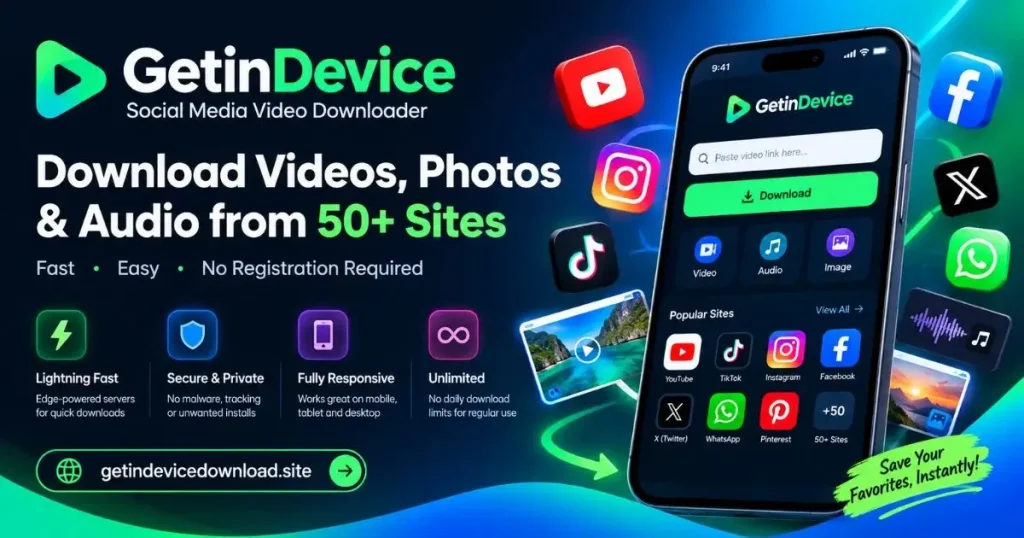
Lightning Fast
Edge-powered servers for quick processing and faster downloads.
Secure & Private
No malware, unnecessary installs, or account tracking required.
Fully Responsive
Optimized for mobile, tablet, and desktop devices.
Unlimited
No stated daily download limits for regular use.